Installing the portlet for the trillium use case
The steps you have to follow in order to install the portlet for the trillium use case are the following
- Download the openncp portal from https://joinup.ec.europa.eu/nexus/service/local/repo_groups/public/content/eu/europa/ec/joinup/ecc/openncp-portal/2.1.1-SNAPSHOT/openncp-portal-2.1.1-20140423.125149-6.war or fetch the latest code from google code repository (git clone https://k.karkaletsis@code.google.com/p/epsos-common-components.openncp-portal/ ) and the develop branch
- Deploy the war file to your openncp portal instance. You can find info on this page
- Add the portlet named "trillium" to a page of your favor and give a try. You will see something like this

And after you select a cda file this screen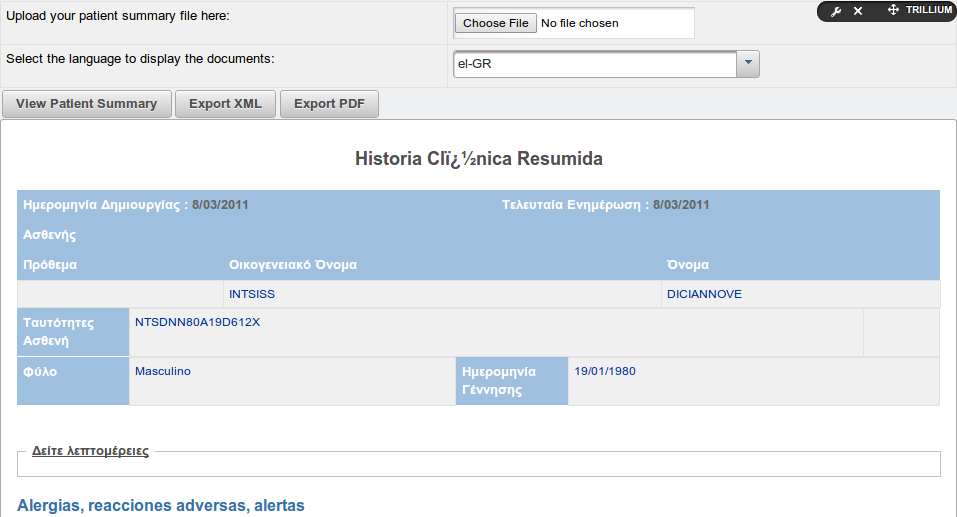
- Assign permissions to this portlet to the roles you apply in your scenario (doctor, patient)
You can try this new functionality also in the following link http://194.219.31.212/web/guest/trillium. The credentials to access this portlet are doctor/test
If you find any problem on this functionality please report it in JIRA
The development of this new portlet is bases in reusage of existing components such as transformation manager and the cda display tool. You can see in the following two links the methods from these 2 components that have been used
https://openncp.atlassian.net/wiki/display/TSAM/Using+Transformation+Manager+from+other+components
https://openncp.atlassian.net/wiki/display/GUI/CDA+Display+Tool